Video
Obsidian 설정 - AI툴 리뷰논문 작성 수업
YouTube에서 보기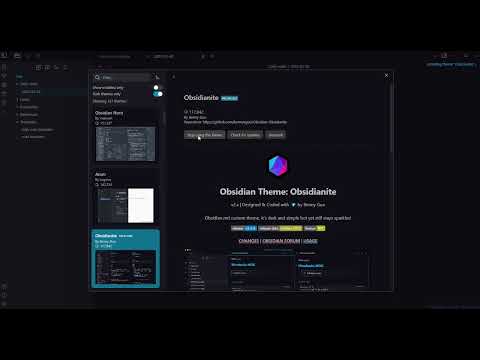
교육 및 공중보건 · Education & Public Health
요약
이 영상은 Obsidian을 학술 연구, 문헌 검토, 논문 작성 및 지식 관리에 활용하기 위한 설치, 보관함 설정, 폴더 구조, 템플릿, 핵심 기능과 메모 연결 절차를 단계적으로 설명한다.
핵심 내용
- 운영체제에 맞는 Obsidian을 설치하고, 메모와 하위 폴더를 포함하는 로컬 보관함을 만든다. 보관함은 로컬 드라이브, Google Drive나 Dropbox 같은 클라우드 폴더, 또는 유료 Obsidian Sync에 저장할 수 있다.
- 권장 폴더는 Daily notes, Notes, Notes/Images, Production, References, Templates로 구성된다. 각각 일일 기록, 영구 개념 노트, 이미지 첨부 파일, 최종 산출물 초안, 참고자료 독서 노트, 표준화된 Markdown 템플릿을 저장하는 용도이다.
- 일일 노트 템플릿에는 할 일, 오늘 완료한 일, 내일의 계획을 포함하고, 일반 노트 템플릿에는 상위 개념, 참고자료, 관련 노트, 새로운 아이디어를 연결하는 섹션을 둔다. 태그는 해시 기호를 사용해 만들 수 있다.
- 권장 독자
- 디지털 메모 도구를 활용해 문헌 검토, 연구 논문 작성, 학습 노트 정리를 하려는 학생, 연구자 및 학술 연구자
- 범위와 한계
- 영상은 Obsidian의 설정과 사용 workflow를 시연한 교육 자료이다. 제시된 폴더 구조, 단축키, 테마 및 설정은 개인적 권장안이며, 효율성이나 학술적 성과를 비교 평가한 연구 결과는 제공하지 않는다. Obsidian Sync는 유료이며, 클라우드 폴더를 이용한 동기화에는 별도의 운영 및 보안 고려가 필요하다. 커뮤니티 플러그인은 임의의 코드를 실행하거나 보안 위험을 초래할 수 있어 제한 모드를 해제해야 하며, 사용자는 이러한 위험을 확인해야 한다.
- 연구 맥락
- 이 자료는 연구자와 학습자의 디지털 정보 조직, 문헌 기반 지식 관리, 학술 글쓰기 workflow라는 주제와 연결된다. 이러한 주제는 Sangzin Ahn의 교육 및 연구 지원 관련 콘텐츠를 이해하는 중립적인 맥락을 제공하지만, 영상의 효과나 개인적 기여를 입증하지는 않는다.
Summary
The video provides a step by step guide to installing Obsidian and using it for academic research, literature review, paper writing, and knowledge management, including vault setup, folder organization, templates, core features, and note linking.
Key points
- Users install Obsidian for their operating system and create a local vault containing notes and subfolders. The vault may be stored on a local drive, in a cloud folder such as Google Drive or Dropbox, or through the paid Obsidian Sync service.
- The recommended folders are Daily notes, Notes, Notes/Images, Production, References, and Templates. They are used respectively for daily records, permanent concept notes, image attachments, drafts of final outputs, reading notes for source materials, and standardized Markdown templates.
- The daily note template includes tasks, completed work, and plans for the next day. The general note template includes sections for higher level topics, references, related notes, and emerging ideas. Tags can be created with a hash symbol.
- Audience
- Students, researchers, and academics who want to use digital note taking tools for literature review, research paper writing, and study note organization
- Scope and limitations
- The video is an instructional demonstration of Obsidian settings and workflow. Its folder structure, hotkeys, themes, and configuration choices are personal recommendations, and it provides no comparative research evidence on efficiency or academic outcomes. Obsidian Sync requires a paid subscription, while cloud folder synchronization involves separate operational and security considerations. Community plugins may execute arbitrary code or create security risks, and using them requires disabling Restricted Mode; these risks are acknowledged but not systematically evaluated.
- Research context
- The material is thematically connected to digital information organization, literature based knowledge management, and academic writing workflows for researchers and learners. These topics provide a neutral context for understanding Sangzin Ahn's education and research support content, but the video does not establish effectiveness or an individual contribution.